ToDoWith: Designing Support and Accountability Into Everyday Tasks

Introduction

Adults face 30,000 daily decisions leading to decision fatigue that kills motivation for home tasks like decluttering and chores—existing apps solve isolated problems but ignore the emotional and cognitive barriers to starting and continuing routines.


ToDoWith targets overwhelmed adults (25-55) managing households by combining accountability partners with a 4-state progress system (Not started → In progress → Needs support → Completed) that creates visible momentum and reduces activation energy.


As the solo designer over 3 months part-time, I delivered a functional Figma prototype, 5-user test report, and design system through iterative 2-stage research, lo-fi validation, hi-fi testing, and targeted iteration.

Research

Background: Decision fatigue causes task avoidance and clutter anxiety; apps lack holistic emotional + cognitive support.

Competitor analysis Completing analysis of apps in the space of chore.task management, emotional support, habit-building, (Finch, Trello, Habitica, Sweepy) identified gaps in quick+simple task entry, emotional support need. Obvious strengths in gamifying, focus on habit formation, branding.

Interviews:

Stage 1 (3 users): Gather ideas on common struggle areas, behaviors. (remote)

Stage 2 (4 users): Deep patterns, stronger insights. (remote)


Key questions:

  • "How do these household responsibilities affect your mental energy or mood?"

  • "Do you use any apps, tools, routines to help with habits, organization, and chore management?"


Synthesis: Affinity mapping → Key insights:

  • Motivation gap: People stall at start and in the middle of-not with completion.

  • Guilt cycle: Starting feels good, struggling to keep up consistency creates shame.

  • Accountability surprise: Sharing even the mental load of having to complete a task can feel like an extra hand in completing it.

Research → Design Direction: Emotional connection + partner visibility prioritized with simple task tracking.

Define

Persona created from real users:

  • Kait: "I tell someone and there's an invisible pressure to get it done."

  • Maggie: "I need someone there so it feels like we're together to move forward with the task"

  • Griffin: Enjoyed other apps with reward over punishment for progress.

Prioritization: Using the MoSCoW prioritization method, key features were defined for the MVP aligned with strongest research insights.

MVP Scope: Simple task entry/logging + basic accountability (partner assignment).

Must Have

Simple recurring/routine task entry and list-building

Accountability/Witness (other person or AI)

Progress Tracking and sharing

Gentle encouragement/reminders

Should Have

Avatar/profile customization

Rewards system

gamified elements

Could Have

Calendar integration

location-based reminders

advanced analytics (streaks, long-term habit patterns)

AI Coaching (buildout of accountability features)

Won’t Have

Smartwatch integration

Smarthome integration

Design

Ideation: Home screen decision point: long-term progress vs daily motivation?

Research informs choice of "just start small" for overwhelmed users,with implementation of basic task creation, status changes.

Feedback and HiFi Iterations:

  • v1: Dense create screen → v2: Progressive disclosure with advanced settings

  • v1: No filtering → v2: My Tasks filters & sorting

  • v1 Unique Task lists design -> v2: consistent task-oriented views


Branding

Moving onto higher-fidelity, iterations address feedback while expanding on branding and copy. Research pushed the branding in a direction of a calming, trustworthy interface over energetic gamification.


The MVP palette centered on #324C3D green with seasonal accent colors planned for future development while maintaining the core neutral base. Primary green along with neutrals like #F3F4F6 manage to show growth and completion, while remaining visually calm.

Logo


The ToDoWith logo transforms the 'W' in 'With' into two interlocking checkmarks, symbolizing collaborative completion at the base of this brand, while the word mark does the heavy lifting to convey the base feature of the app, task management, through a to-do list action. This visual metaphor supports the mission of gentle accountability. Tasks aren't just done, they're done with reliable support, in a calm, steady, encouraging digital environment.

Final HiFi Mockups

Test

Methodology: Remote moderated usability test.

Participants: 5 adults struggling with task motivation, completion (same batch as initial research).

Flows Tested:

1.1-Creating a Basic Task.

1.2-Marking a task as completed and seeing progress change.

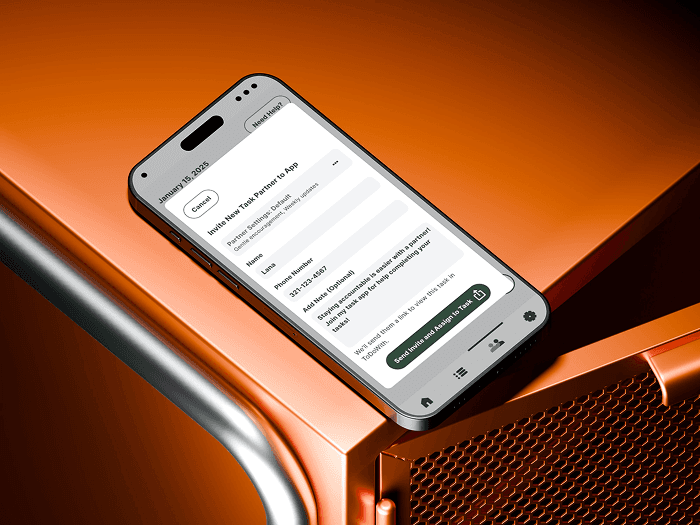
2-Inviting a Task Friend to the app.

3-Editing Task Details in one screen.


Task success rate: Percentage of users completing each flow without assistance (target: 80%).

  • Time on task: Average seconds to finish flows like task creation or partner assignment.

    • Create basic task (FAB): <60 seconds.

    • Mark task complete + check progress: <90 seconds.

    • Assign/Invite task partner: <120 seconds.

    • Set due date for task and make task repeat: <120 seconds.

  • User satisfaction rating: Post-task scores (1-5 scale) on ease and clarity.

  • Number of errors: Count of misclicks, backtracks, or hesitations per flow.

  • Steps to completion: Total clicks/actions vs. optimal path for efficiency.

  • First-click accuracy: % of users selecting the correct starting element (e.g., FAB).

Results

*Flow 1.2 ease & success are artificially high because the checkmark allowed progress without actually changing status for ⅔ users.

  • "First thing I see is support request... clicked that first" - Brett

  • "Screen feels too long for quick status change" - 3/5 users

  • "Eyes go to checkmark, not status" - Kait

Revisions

Usability testing revealed a "checkmark trap" where 40% of users failed to update task status due to misleading checkmarks, alongside complaints about the lengthy edit screen hindering quick progress changes. I responded by removing status selection from the full edit form—focusing it on details like name, due date, repeat, partner, and priority—while adding a simple overlay via status pill tap for 1-2 tap state updates (Not Started → In Progress → Needs Support → Completed). This established a clear hierarchy: pill for status, ellipses for edits, whole row for details view, aligning with standard patterns and mentor feedback on icon semantics. These changes directly address observed and measured friction, predicting improved usability if second round of testing.

Conclusion

ToDoWith transformed from broadly-focused decision fatigue research into a focused accountability solution through 2 stages of interviews, decisive prioritization, and rapid iteration cycles that turned a 60% usability result into a production-ready prototype within 3 months of part-time efforts. Moving forward, I might take Stage 1 research and pivot toward accountability focus earlier on, rather than keeping a wide net. I would conduct Round 2 testing to validate the predicted improved success metrics, while planning to expand roadmap features like gamified elements or advanced progress analytics. This project showcased my ability to ship complete MVPs solo through Impact/Effort matrices, affinity mapping, and 48-hour test-to-iteration velocity. These skills are what I hope to bring to collaborative environments where user needs are addressed at a business scale.

View Prototype Here